Showing posts with label Paper Doll Download. Show all posts

Friday, March 27, 2026

Watercolor Paper Doll: Editing and Adding Tabs

The hard part of my little watercolor paper doll is done! Painting it took ages! Or at least it felt like it took ages. Today I'll try to wrap up this tutorial series with editing the scans and adding tabs.

Before I jump into editing, let's talk about scanners. The scanner you use and the way you set it up makes a difference. Right now, I have two scanners: one is part of my Epson ET-8500 and one is an Epson Perfection V600. I'm very happy with the Epson printer but it's not great as a scanner. The V600 scanner was something that just landed at my house (a friend was getting rid of it) and it's great! 


 Here's a washed out scan from my ET-8500. Not great.


Here's another attempt with the same scanner. I tried the blue paper trick and it still didn't help! 

Not only are those two scans weak, washed out, and sad, they are also only 300dpi. I like working at 600dpi for hand-drawn art because I can manipulate it, reduce the size, and it looks great.

This scan is from the V600 and it is significantly better! It's a bit of trial and error to find a scanner that works the best for your art. I would recommend getting a stand-alone scanner if you can. Multi-function devices are not always great. I'm editing the last scan because it's the closest to my actual art.

Once I'm happy with the scan, I extract the clothing from the background. There are a few different ways to do this. You could use the pen tool and created selections around each piece. I prefer using a mask and stylus to paint it away. 

I have a 24 inch display with a stylus. When I'm editing art in Photoshop, it's significantly larger than actual size. I can really get in there and fuss over every tiny detail. 

In the Layers menu, I have the original scan, a white layer with a pink color applied, and then a duplicate layer with a mask applied.

Here's the image with large areas masked off. This took me just a couple of minutes. I use the default hard round brush set to black to mask the image. Masking is non-destructive so if I slip or cover something I didn't mean to, I can switch to white and draw over it to bring it back. Once I rough in the mask, I zoom in nice and close and just draw away the white around the outfits.

After all of the mask is painted on, I apply the layer mask. This final step erases the areas I painted black and leaves me with a transparent background. Now I can easily select each outfit and put it on its own layer. That way I can manipulate it with the warp tool, check the fit, and add tabs.

I find that my tracing almost always creates an imperfect fit. And that's true of a lot of traditional artists. Sometimes the fit is just a little bit off and needs some work. First, I set my outfit layer Multiply so that I can see the doll through it. Next, go to Edit, Transform, then Warp. What you get is a grid system with nodes. In the picture above, I'm working with the 5x5 grid layout. To adjust the image, grab a node and move it where you want it to go. It's really just pulling and tugging on the image to correct slight misalignment. This is also the reason why I like to work at 600dpi - using the warp tool can sometimes create blurring or distortion. If I use warp, then shrink the image back down to 300dpi, it's sharper.


Now I add tabs. I use a mix of triangle and rectangle tab vector shapes depending on the section that needs a tab. Triangle tabs go in narrow or hard-to-cut spots. Rectangles for just about everything else. I like to put my tabs in a folder, then put the outfit and tabs in its own named folder. You can see the structure of my layers in the image above. 

I use the warp tool and add tabs to every outfit. I got a bit lucky with this one - the fit was pretty good overall. Often I'll layer individual pieces and adjust them to fit over each other correctly. I didn't do much in the way of editing or color corrected. I just corrected the fit.


And here's a layout of the doll! I left the base a little rough but I might go back and fix it. It's a cute little set. I don't think I'll go back to traditional media for everything. It feels like a ton of work!! At this point, I couldn't imagine create a whole book in watercolor...  It is nice, however, to get my hands dirty and get my brain to think a little bit differently.  Some of this was more technical then I intended and hopefully it helps.  Maybe I should take this doll and create a completely digital set, too, to see the differences. Let me know what you think!


Friday, October 31, 2025

Frightful Frocks: Ghosts

 Two things conspired against me for today's theme: time and inspiration. I had no motivation or inspiration to make a ghost themed outfit. And I was rushing to do it! I really wanted to wrap this up for Halloween. 

I poked around Pinterest for inspiration and there were a lot of Victorian style ghosts. YAWN. Kinda bored with that idea. And then I saw some costumes that were sort of rags and chains. I wasn't crazy about that either. I liked the idea of like a handkerchief skirt so I started there.


 Right-click to download and save at full resolution

What I ended up with was a totally 80s ghost! It's almost like a monochrome Cyndi Lauper! It's definitely a rushed set but it's ok. I haven't seen Rachel's ghost yet - that'll be a fun reveal! Things have been so hectic around here that I've had a quick look at she's working on and that's about it. I'll likely download her whole project and look at it sometime next week. 

You can grab my whole set here. If there are any problems with the link, please let me know. And thanks to Rachel for coming up with a fun project and asking me to join in!   


Thursday, October 30, 2025

Frightful Frocks: Pumpkins

 Today is the penultimate post for our Frightful Frocks! That is an excellent word - penultimate. It means "next to last" and the only reason I remember that word at all is because my family is completely obsessed with Taskmaster, a British comedy competition show on YouTube. It's fantastic and mostly family friendly. A little language, a little suggestiveness... but for teens like ours, it's hysterical! 

Anyway, that's my fun new word at the moment.

We have a pumpkin page for today. One more to go for tomorrow and I am trying my absolute best to get it out on time! 

 Right-click to download the full resolution image

 I wasn't quite sure where to go with this one. I made a couple of fantastic pumpkin dresses for my Flapper Halloween book and I didn't want to repeat those ideas. Instead, I went in a sort of 19th century direction. I saw a few costume enthusiasts who designed some pumpkin themed dresses and I sort of riffed on those. The hat, however, was VERY inspired this specific hat

I think hers is far better than my orange-on-orange rendering. It's lovely! Her blog and social media seems to be inactive but still worth a look. 

Take a look at Rachel's totally different take on the theme! It's neat seeing how differently we tackle these ideas. 

So tomorrow (fingers crossed) I'll post the last costume. 

ALSO, for anyone looking for digital art software, Affinity just announced today that is free for all. Might be time to finally commit to learning it...
 

Wednesday, October 29, 2025

Frightful Frocks: Fortune Teller

 When Rachel was work shopping her theme ideas for this project, I knew I definitely wanted to tackle the fortune teller! There were so many ways this could go. 


 I wanted a vintage vibe and a Romani feel. When I came across this pattern cover, it seemed perfect!

Right-click to download and save at full resolution

 For the skirt, I swapped out playing cards for Tarot cards and created the color scheme around that. I like the bold primaries for this. The skirt was almost took big for my page! 

Hopefully you're all enjoying these pages from me & Rachel. She has a really sweet poem with each theme and I think that's just a delightful little bonus! Check back the rest of this week - I'm trying my hardest to get the last two outfits drawn up! 

Tuesday, October 28, 2025

Frightful Frocks: Bats

Fun fact: this week it's Bat Appreciation Week! I'm not sure what that entails but I'm ok with it. Bats are terrific. Today's bat outfits were inspired by a couple of things I found on Pinterest. I'm a long time user of Pinterest and I know it's a bit problematic, especially with AI and pushing "sponsored" pins, but I still find it a reasonably good resource.

 Although the way things are going, I'm half tempted to get offline all together... Ugh.

 Right-click to download and save at full resolution

I really like a full page. When I was drawing this, the orange outfit came together easily but it would have left a lot of empty space. Instead of just rolling with it, I drew a second outfit. 


I loved the idea of a bat pattern AND a bat corset, so I went with both! If you like my bat pattern and you want to try it out for yourself, grab my bat Procreate brush here.

And go check out what Rachel has been up to! Her little poems are an adorable addition to her costumes!  

Monday, October 27, 2025

Frightful Frocks: Moth Queen

 Next up in the Frightful Frocks project is the moth queen! Rachel has been busy posting her fabulous Bianca Boo. She's great at crafting a character for her paper dolls. I am not! I'm not really a character artist kind of person. There are rarely any kind of deep stories to go along with my paper dolls. It's usually more of an artistic challenge: how do I work on color or a certain time period or how to I illustrate this or that or whatever. It's really a visual expression more than a story.

Anyway. 

Today we have a moth queen. I didn't really know what direction to take this in. I liked the colors of the luna moth. 


 Look at this! I would not come up with this palette on my own. Green, purple, a little yellow, a pinkish-white - it's terrific. I started sketching with no clear idea. I wanted the antennae to be a crown and I wanted the wings to be either a sleeves or a cape.

 Right-click to download and save at full resolution.

What I ended up with feels right out of Star Wars! Does anyone else see Queen Amidala in this?! I initially wanted a much more form-fitting dress but it didn't look quite right with the pose. Honestly, I wish I had gone with a different pose right at the beginning but here we are... Is this frightening? Not really. But it is otherworldy! 

Come back tomorrow for more from me & Rachel

Sunday, October 26, 2025

Frightful Frocks: Vampire Aristocrat

 In today's installment of Frightful Frocks, we have a vampire aristocrat. I wasn't sure where to go with this so I through the term "aristocrat fashion" into Google and apparently, "aristocrat" is a whole subgenre of Lolita. That didn't really help me much. There was, however, a picture that popped up of a German aristocratic lady.


 The sleeves on this are just excellent. And the colors are great! This became the jumping off point for my outfit. I thought a bit about what an immortal vampire lady of fashionable taste would wear - maybe she would keep her favorites around for centuries! 

Right-click on the image to save it at full size

Grab the doll here 

 I liked the huge, gathered sleeves but I toned it down a bit. A jaunty hat (and a face with tiny fangs!), two skirts, and our vampire is ready for the 15th century or the 21st! I'm not crazy about how the shoes on the short skirt came out - they're a bit goofy.

Rachel has her take on Vampire Aristocrat and it's terrific! Her outfit definitely taps into that Lolita vibe.  She's including a poem every day which gives her set a nice storybook quality.  

We're posting these all the way up to Halloween, so check back every day for more!  

Saturday, October 25, 2025

Frightful Frocks: Halloween Paper Dolls

Earlier this fall, Rachel of Paperthin Personas asked me if I'd like to jump into another Halloween paper doll series. We've done a few over the years, so of course I was on board! She came up with a great set of themes and we both got to work. Hers went up yesterday (you can see it here) and here's mine, a little late with time zones, etc, etc! 


Right-click to download the full size image


The dress on the base doll is based on a 1950s dress I saw on Pinterest. It's dramatic and chic and vintage - what's not to love?!

The first theme is "poison bottles". I love the green color of antique bottles and the stylized skulls on the labels. I decided to make the whole dress a poison bottle! The dress has sort of an 18th century vibe but a little bit of 19-teens too. 

 My plan for this series is to use as little black as possible! It's easy to default to a black-orange-red-lime green-and maybe purple kind of palette for Halloween. There WILL be black, of course. Some of the themes (bats, for example) would really need to be black, but where it's possible, I'm going to push other colors. 

Follow along with us as we tackle the same theme list with different styles and dolls! 

Friday, October 3, 2025

Happy October!

I seem to start every post with something like "Well, life just got busy..." etc, etc. And that's true. Life got a bit busy. I lost a good chunk of September to a lingering cough. The kids went back to school, immediately brought home a cold, and we were all miserable. I had it the longest, naturally. But I'm on the mend and getting back into the groove of things. 

I have a one-page paper doll to share today. I'll have more as the month goes on, but I really wanted to share this now. 

 
Right-click to download and save for printing

This one is a little bit different! Cut along the dotted lines so that the little ghost can hold the cauldron, treat bag, pumpkin spice boba, skull, and pumpkin. There's also a witch hat, sparkly "hair" bow, and hipster hat to round out the looks. I couldn't come up with a clever title - I almost called it "Boo to You" but that was kind of meh.

I'm also trying out an art challenge on Instagram, so you're welcome to follow me there! Have fun with my little ghostie!!    

Friday, June 6, 2025

Coloring Tamara the Ballerina in Krita

First up, happy June, happy Pride, happy end of the school year! I'm SO ready to be "Summer Mom". Summer Mom does not set an alarm. Summer Mom goes to the lake and the ocean and the museums. Summer Mom plans fun activities and random lunches. Summer Mom is GREAT, for all of us. Things will be a little bit different this year. My oldest got his very first summer job. He's already started working on the weekends and seems to be enjoying it. Next year my youngest will be old enough to join him. That will be a whole new experience for all of us! I'm less in the "existential dread" phase of parenting now. Last year was tough on me and last summer felt like an ominous LAST SUMMER. This year, not so much. My kids are good people. What more can I ask for?! (I mean, taking care of their own dishes would be great...)

This week, while the kids are still in school, I decided to jump into Krita. If you didn't see it last week, I tested out a feature in Krita where I easily extracted the line art from from an image. I was VERY impressed. Sometimes free or open source or cheap software is, well, not great. I was so impressed with the line art extraction that I decided to color the whole page in Krita.

I wanted to try Krita because it's open source. One of my core beliefs about art is that it's ALWAYS accessible. All you really need is a way to make marks and a surface to place those marks. That's it. Paper and pencil - great. Paint and canvas - also great. Tablet and software - find a price point that works for you and go for it. Most of us have some kind of computing device at this point. I work on a refurbished iPad Pro, an XP-Pen Artist Pro 24 inch monitor on a gaming PC, and, lest we forget, a very expensive and stupid all-apps Adobe subscription. That's my setup today but I've worked with a lot less in the past.

And you can, too. 

This is where I left off last week. I had Tamara the Ballerina from Paperdoll Review ready to color. Line art on one layer, ready to go. I'll admit to a bit of a learning curve with Krita. It's a bit different than Photoshop or Procreate, or other drawing software that I've used. Not TOO different but enough. I played around with it for 15 minutes or so, just to get a feel for it. I stuck to default brushes and colors for this run-through.


I tinkered with the workspace a bit until I found a configuration I was happy with. I like my swatches and brushes on the left and my layers on the right. I don't know why. I just do! I also started closing panels that I didn't need in the right-hand side of the screen. The color palette that I used is the Concept Cookie swatches but there are other palettes available. Brushes are awesome! There are loads of default brushes and I just kept playing with them until I found ones I sort of liked. None of the default brushes felt quite like the ones I use in Procreate or Sketchbook Pro but they were nice regardless. I found myself blending which isn't normally something I do and I'm not crazy about it.

This is a fault with me, not Krita. I'm sure I could replicate my workflow using either default tools or community tools. There's a thriving Krita community worth checking out.


Here's a close-up of my unblended colors. Once I did blend them they were a bit too smooth. That got better as I continued to try other tools. 

Here's the doll, colored and blended. I redrew the lips on a layer above the line art. Black lips bother me! 

At first, Krita felt kind of meh. The rotation dials on my monitor didn't work. Almost all of the shortcuts were different but also logical so that was ok. The eyedropper/color picker is P instead of I. The bucket fill is F instead of G. And so on. Also, I had to dig for a few things, like the hue/saturation. Once I found it, it was great and worked well. This wasn't a Photoshop or Procreate replacement. 

The game changer, though, was accidentally right-clicking on my mouse.


I'm kind of retro - I like having a keyboard and mouse along with my drawing tablet. I rarely use the buttons on my stylus, whether it's on my PC or on my iPad. So while I was scrolling along, I accidentally right-clicked and this fantastic wheel popped up. I have never seen anything like this! 


Here's an image from the Krita user manual showing all of the details. The manual has a whole section about using Krita after using other software, like Photoshop. It's great! 

This little wheel does everything! Wanna rotate your canvas? Drag the little slider at the top. Toggle colors - that's tucked into the back. A mini color picker wheel, color history, favorite (or recent? I'm not sure) brushes....this thing had it ALL! The only thing I couldn't really do from here was set the blend mode of my brushes and that was barely an issue. Once I found this, my whole workflow sped up significantly!

And if that wasn't enough, there are also vector tools for adding tabs! I didn't use that this time. I will in the future.  


 So the TL;DR on Krita:

 Pros:

  • Great default color palettes
  • A nice variety of interesting brushes
  • Straightforward and customizable interface with more tools than I'll ever need! 
  • Easily extract line art onto a transparent background
  • Vector tools
  • Broad compatibility, available on Windows, Mac, Linux, and there might be a clunky Android port although it isn't available for iPad so that might be a con for some 
  • POP-UP PALETTE! 
  • PRICE is FREE!  

Cons (all very minor):

  • Shortcuts are different if you've used other software, like Photoshop. Easy to figure out and re-learn
  • Large, many-paneled interface can be a bit confusing but adapts with ease
  • Adjustments are under the Filters menu and tools in general might not be where you would expect them to be
  • Vector tools are not exactly intuitive and I need to experiment with that some more 

This is really the first open source art software that I can see myself really getting into. If you have a Mac or PC and a drawing tablet of any sort, check it out. If you do try it, let me know what you think!   


Friday, March 28, 2025

Fashion Doll - Bold Florals for March, Page 4

How is it APRIL next week?! Can't even handle it... 

My husband was traveling for work last week and I thought FOR SURE I'd get loads of things done. No. No, I did not. I lost one whole day to a headache and a lot of afternoons were spent shuttling the teens to and fro. Some smaller things did get wrapped up, so that's good, but I still have entire books to make and haven't gotten to it yet.

In the spirit of "getting things done", I've wrapped up this bold florals paper doll series. I like this doll and the patterns - I may revisit this in the future. The doll is here, the second page is here, and the third is here

Click on the image for full resolution. Feel free to download and print.
 
I'm really trying to make more time to draw and work on the blog. For reference, this post marks 13 for this year - as much as I posted ALL of last year. It's hard to build back a habit but I'm trying. 
 
I'm not sure what's next up on the blog. April might be a bit tricky because my calendar is already filling up. Gotta stop procrastinating and start producing....!  

Friday, March 21, 2025

Fashion Doll - Bold Florals for March, Page 3

Things are getting so much more spring-like here and I love it. The days are a bit longer, mornings are a bit brighter, and we're even getting some green shoots in the backyard. It's been a bit hectic this week - my husband is traveling for work so the kids & I are on our own. Having a second adult makes life SO much easier! I'll have to make sure to tell him that when he gets back....!

I'm keeping with the bold florals again this week and next week. I'm honestly not sure if I'll get anything together for April. I have some deadlines I need to hit and the Morgantown paper doll party is coming up. (Are you going? You can register here or print a form here. I'll be there!) 

I also just bought the newest version of Clip Studio Pro. I'd like to learn a few other programs besides the Adobe suite and share what I learn. I bought a version of Clip Studio Pro ages ago but never really played around with it enough. Gotta make some time to do that! 

Click on the image for full resolution. Feel free to download and print.

While working on this set, I tested the mix & match capabilities with the previous two sets and I'm pretty happy with it. The color scheme is an interesting mix and I like the bold flowers in a variety of shapes and sizes. You can grab the doll page here and the second page here. Let me know what you think of the series!

Friday, March 14, 2025

Fashion Doll - Bold Florals for March, Page 2

I have another page of bold mix and match florals for today. This set is becoming sort of vaguely 60s-ish. That wasn't the intention - there was no real intention - but that's where it's heading. I'm hoping to keep this up for the rest of the month. Not sure what's next after this. You can grab the doll here and everything should mix and match perfectly!

Click on the image for full resolution. Feel free to download and print.

Sometimes I have a plan but I'm finding myself a little less organized lately. Maybe it's the spontaneity of the teens. Lots of last minute rides to outings and such. I do have things in the works: several book ideas, a couple of commissions, etc. I haven't made time for drawing workshops lately, either, because things have just been too hectic. I'm hoping to cook up a series of something for April. There are already jury duty dates and doctor's appointments on the books so we'll see.
 
I'm also getting organized for Morgantown in May! It should be a great time and I and very much looking forward to it.

Friday, March 7, 2025

Fashion Doll - Bold Florals for March

It is somehow the longest and fastest year ever simultaneously. Somehow, it's already March! I now have two teens in my house - my youngest son turned 13 over the weekend. I started this blog just a few months after he was born as a way to keep myself grounded in a sense of not-mom. Now, thirteen years later, I have two teens who are starting to have their own lives, leaving me with a whole different identity crisis! Who am I after kids? How do I fill this time that I suddenly have? Don't worry - I absolutely manage to fill it! 

One of my goals for this year is to post more sets on the blog. These one-page sets or short series help me practice and refine my technique. I have loads of programs I'd like to test out both on the iPad and on my desktop. I've also had questions about workflow and publishing: can I complete the whole process on an iPad, can I complete it all in Procreate, what other apps, etc... So I want to continue experimenting.

Can a paper doll be completed start to finish in Procreate? For me it's a no. I find the selection and move tools to be utterly useless in Procreate. The app simply isn't able to rotate without a serious loss of crispness. It's always pixelated and blurry when I try. I also used vector shapes to create tabs and I just don't think tabs would be as sharp in Procreate.

 
Click on the image for full resolution. Feel free to download and print.
 

Procreate automatically records a time-lapse unless it's toggled off and I thought it would be fun to include that here. My oldest son is taking film at the high school and he's teaching me how to use Premier Pro! In the video you'll see that I used a hair color chart. I grabbed that on Pinterest via DeviantArt.

I really liked the Jester paper doll from last week and I didn't feel like starting over completely. Instead, I changed a few things. I work in layers (a LOT of layers) and that makes changes easy. I kept the pose, the skin color, the shoes, and face pretty much the same. I drew new hair, made the base outfit a mini dress, and changed the eye color using the hue/saturation adjustment tool. All total, it took less than 4 hours to turn this whole doll around, from editing to sketching to coloring to layout. And that includes preparing the patterns in Photoshop for use in Procreate. 

The patterns are from Nadia Grapes and the now defunct Design Cuts site. I think of patterns like this like fabric - sure I COULD design it myself but there are so many beautiful patterns out by artists with much stronger skills than mine for me to buy. And I have TONS and TONS of patterns and brushes and fonts just sitting on my hard drive, begging to be used. 


For the clothing, I let the patterns sort of inform the design. I did, however, come across this fabulous sewing pattern cover and LOVED the pants and short sleeved blouse. 

Anyway, my plan for this month it to add a sheet each week to go with this set. I couldn't come up with a clever title. Maybe you have one to share! Look for another page next week!

Friday, February 28, 2025

Jester Paper Doll in Color

 This is going live a bit later than I would like. My week has been filled to the brim with kid stuff! Initially, I wanted to take about my layer management and how I use that to color, what my workflow is, etc, etc. Yeah, that didn't happen. In fact, I finished coloring and laying this out on Friday morning when I had every intention of having it ready to go last night. 

Having said all of that, it's finished and I wouldn't miss the "kid stuff" for the world!

 Feel free to expand this image to full resolution, right-click to save and print.

I like the doll here quite a bit. Her face is slightly too wide and her eyes might be slightly too big but I can live with both of those things. I think I might just reuse the doll for a new page next week, maybe begin a series! That would be fun...

The colors overall look more dull than I would like. I'd like to go in and push up the saturation a bit to make it all more vivid. The dress is ok. Both the dress and the collar have a tentacle look to them - I need to figure out how to make pointy drapery thingies better. I had the same issue with my 2023 holiday card. Also, I completely hate the shorts. I didn't like them as I was drawing them, then I thought I could save them with some coloring trickery. Nope. Still hate. And that's ok. The beautiful thing about these one-page sets is that I can practice! Practice and failure are the keys to learning and growing.  I am, however, happy with the accidental movement in the torso of the doll due to my poorly drawn pattern! It gives her pose a twist. I do love a happy accident. 

If you have any random themes you'd like to see, just send them my way!


Friday, February 21, 2025

Using Paper Doll Templates

 In the post last week, I shared some paper doll templates I'm working on. It's something I've wanted to do for a while. Blank canvases and pages scare me a lot more than they used to and these seemed like a fun way to tackle that. 

This week, I put them to use! One I'm using for a project that isn't quite ready yet. The other is the paper doll at the end of the post. 

After sketching out all of the pose parts, I went into Procreate and lined each part individually. Each arm, leg, etc, was lined and placed on its own layer. It was tedious but didn't take nearly as long as I thought it would. Everything needed to align correctly so that I'd have a closed shape at the end of it. Once I lined the sketches, I popped them into Photoshop. 

I'm not a fan of Procreate's selection, move, and rotate tools. No matter what setting I use, the image ends up blurry. If I need to do any of that I either plan on re-drawing it or do it in Photoshop. That's what I did here - instead of re-drawing each arm, I flipped and aligned them in Photoshop.


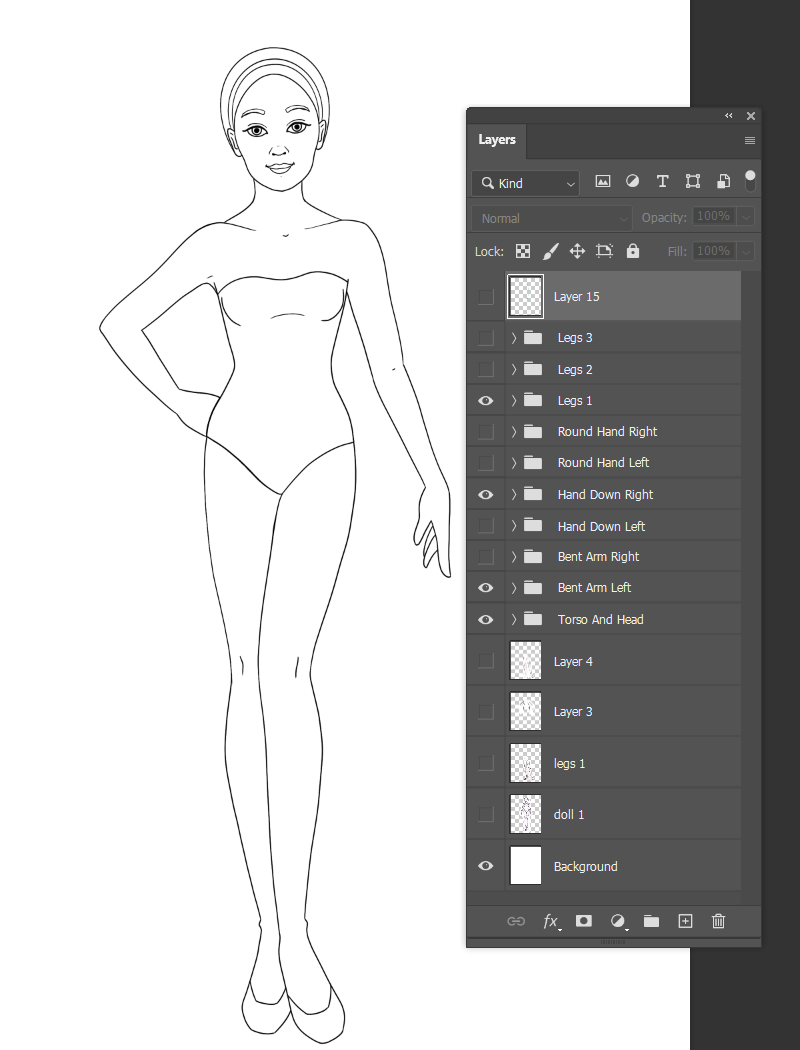
Here are all of the various layer groups, named in a way that made sense to me. I ended up with 27 possible poses because the downward arm has two hand options. 

On the left, all of my layers turned on. On the right, lines are colored to show the separate layers.

I really, really wanted to draw a doll for this week but I had NO inspiration! I've been playing a lot of video games lately (mostly Animal Crossing). My husband just started playing a card game called Balatro and it looked kinda fun so I grabbed the mobile version for me and the kids to try on our phones.  

We're all addicted now. We talk about it at dinner. We discuss runs and strategies. It's an obsession! 


 These are my sons, sitting head to head playing and comparing strategies! 

And it occurred to me that jesters and jokers would make for a fun paper doll. I don't think I've done anything like that before! 

Here's my jester! As always, click on it for full resolution and right-click to save and print. Everything will layer over the dress except for the shorts. I'm not sure I'm crazy about those and may rework that before I color it.

Let me know what you think! I'm hoping to have the color version of this ready for next week...if I can pull myself away from the game....


Tuesday, December 24, 2024

Happy Holidays!

Happy Holidays!

 If your December has been anything like my December, it's been super busy! Two birthdays, a quick trip to Boston with Jenny Taliadoros to see Ralph Hodgden, a winter concert at the school, multiple visits to the one of the boys' schools (for good things!), several doctor's appointments, and family festivities...It's been a lot! I love being busy with the kids and I know those days are numbered, but I'm looking forward to some downtime, for sure. 

This year's holiday card comes from my ongoing Emma McKay project. I started thinking about what Betsy McCall or Dolly Dingle or other "every girl" kinds of paper dolls might be like today. I took that idea and turned it into a calendar. You can grab the calendar here.

Right-click on the image to save it at full resolution. 

Happy Holidays to you & yours, whatever you celebrate. And here's hoping the blog will be a bit more active next year!

Thursday, October 10, 2024

Vintage Halloween Flapper - Page 2

 I hope everyone is having a great October! We spent the weekend apple picking with the kids and my parents, as well as celebrating our 17th wedding anniversary! It was a lovely weekend! 

Click on the image for full size, right-click to download and save

I have come across some wonderful vintage Halloween ideas in my research! Adding crepe paper to pre-existing clothing was a common way of creating a costume. I'm not sure exactly how that worked but I came across an ad for these crepe costumes and just LOVED it! 


I briefly thought about a limited color scheme for the whole Halloween set, but as I colored I realized I just didn't like that. With this, I added a bright green with some hints of pink to create a vintage inspired cat sort of like this one:

I didn't like the hat in my reference image and created a floppy hat instead. Stay tuned for more downloads every Thursday for the rest of October!

Thursday, October 3, 2024

Happy Halloween with a Vintage Flapper - Page 1

Surprise! I have a short series of Halloween paper dolls for the month of October. I decided to post on Thursdays for the month since Halloween is on a Thursday. Just makes for a nice, even distribution.

Click to enlarge, right-click to download and save
 
I don't know about anyone else, but my September was just a mess! The kids went back to school and immediately got sick. My youngest son brought home a cold that left me with a horrendous cough for more than two weeks. And then the poor kiddo had minor but emergency surgery. He's fine but it was a crazy month....

This might look familiar to anyone who attended the recent Paperdoll Convention. I gave a workshop called "Fashioning a Flapper" where we used pre-cut papers to design fanciful flapper dresses for this doll. It was a lot of fun, especially for my first-ever workshop. 

I really liked this doll and just didn't feel like I was finished with her. I also knew that I wanted to get back into the habit of posting here more regularly. So I decided to color her in and see where it went. As I was coloring it, I came across vintage 1920s and 30s Halloween costumes and decoration books. 


With these and others as my inspiration, I started putting together a lovely paper doll! Today's page has the doll and a daytime outfit. The rest of the month will be Halloween costumes. I'm hoping to tinker around with this and turn it into a book at some point. For now, enjoy a download every Thursday for the month of October!


Friday, May 31, 2024

Mermay, Digital Art, and Re-Learning How to Paint

I really, really wanted to jump into "Mermay" this year. I took out a sketchbook, and in about 15 minutes, I had a scribble I was happy with. And then it sat there. For WEEKS. May got away from me. The boys got me a set of gouache paints and I really wanted to paint this. That did not happen. It's been so long since I painted that I just didn't have the right paper. Undaunted, I popped it into Procreate and wrapped it all up this morning!

I follow a lot of creators online and many of them are digital artists with traditional art backgrounds. If you're over the age of 30, chances are pretty good that you learned how to create on paper! I know I did. The problem with digital art right now is AI. How can I prove this art is mine if the original is just a file on a device? And if I share it, it'll get scraped into the AI model. It's already happening. There are AI generated paper dolls floating around. They are neither good nor convincing but they're out there. Many of the creators I admire are getting back to paper, pencil, paint, etc, because handcraft is becoming more important than ever. I am absolutely not giving up on digital art - I love it! I love the freedom, ease of use, the ability to zoom and undo, and the clean crispness of it.

So on this last day of May, enjoy my only pink haired mermaid. I'm going to learn how to use those gouache paints and share that here even though I've been hesitant to share much.  Having my art stolen but individuals AND robots gets to be a bit much! If you want to see what I'm up to, feel free to follow me on Instagram - it's where I post my most current work, most of the time!